
How Flipick works: create, distribute, prove.
One platform takes a brief from a written screenplay to a finished, on-brand film — then delivers it personally and measures who watched. Here’s the pipeline, the studio tools up close, and the proof.
Inside the studio. A closer look.
Five tools do the heavy lifting — from the first conversation to the personalised final frame. Here’s each one on screen.
How Flipick differs from text-to-video AI tools: Most text-to-video tools generate a single clip from a prompt — with no scene planning, no brand consistency across cuts, and no delivery mechanism. Flipick’s pipeline runs nine stages: screenplay, storyboard approval, generation, consistency, overlay, editing, localisation, delivery and measurement — with a sign-off point before any credit is spent on rendering. Typical timelines: Screenplay Creator 15–30 minutes from brief to script · Storyboard approval 1 business day · Rendering under 2 hours per scene.
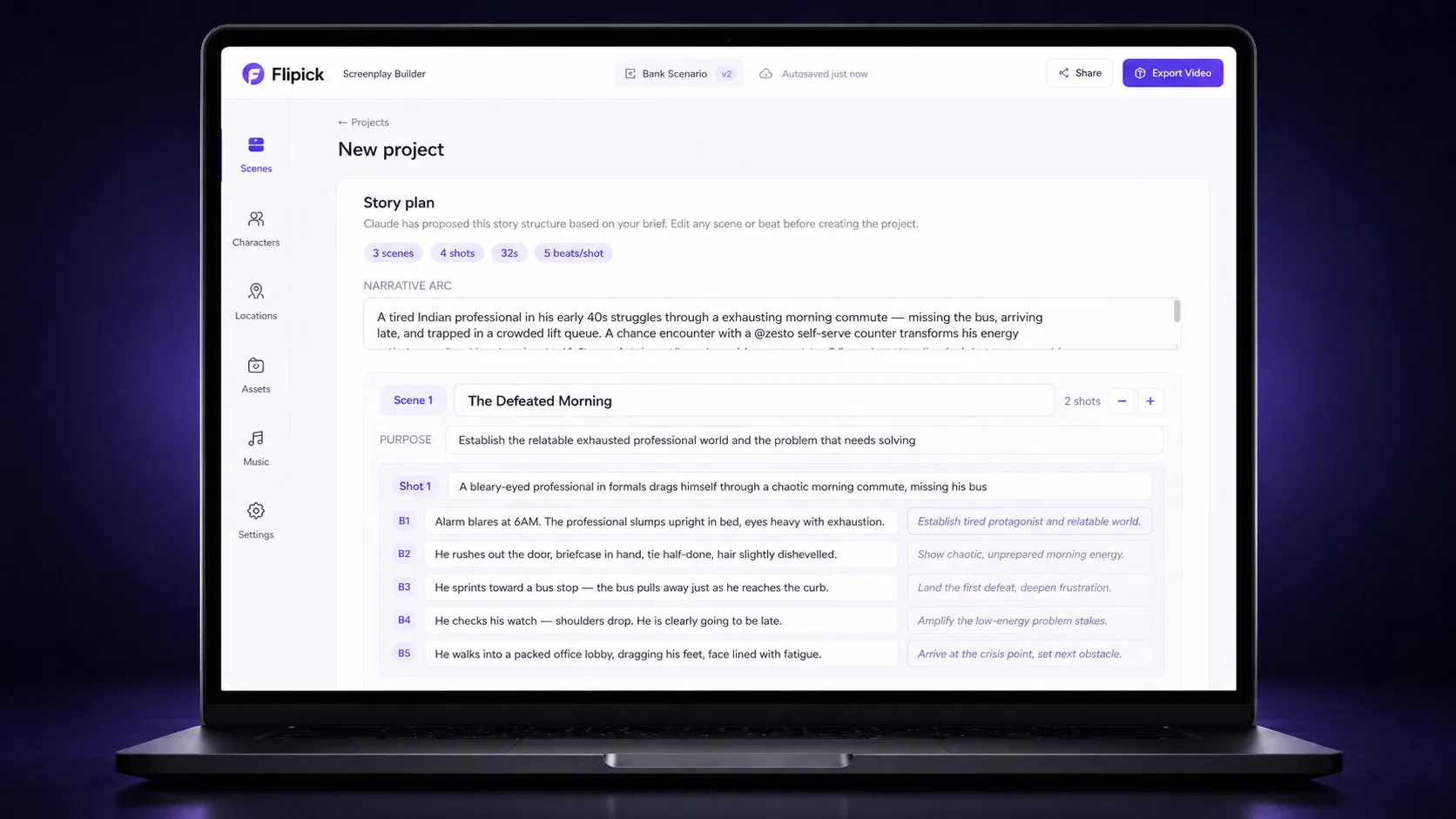
Every project starts with a screenplay, not a blank page.
Describe your objective and the AI builds a production-ready screenplay through a structured conversation — narrative arc, scenes, shot-by-shot breakdowns, voiceover and dialogue.
- Campaign styles — Narrative Ad, How-To, or Product Showcase, each with its own shot grammar
- Pace management — from measured to Super Energetic, controlling visual beats per shot
- Beats grid — Super Energetic renders a 3×3 grid: nine frames in a ten-second clip
- Editable shots — edit the visual and motion prompts and voiceover text, and regenerate any shot
- Create from Import — already have an approved concept? Import a plot doc and skip the story pass
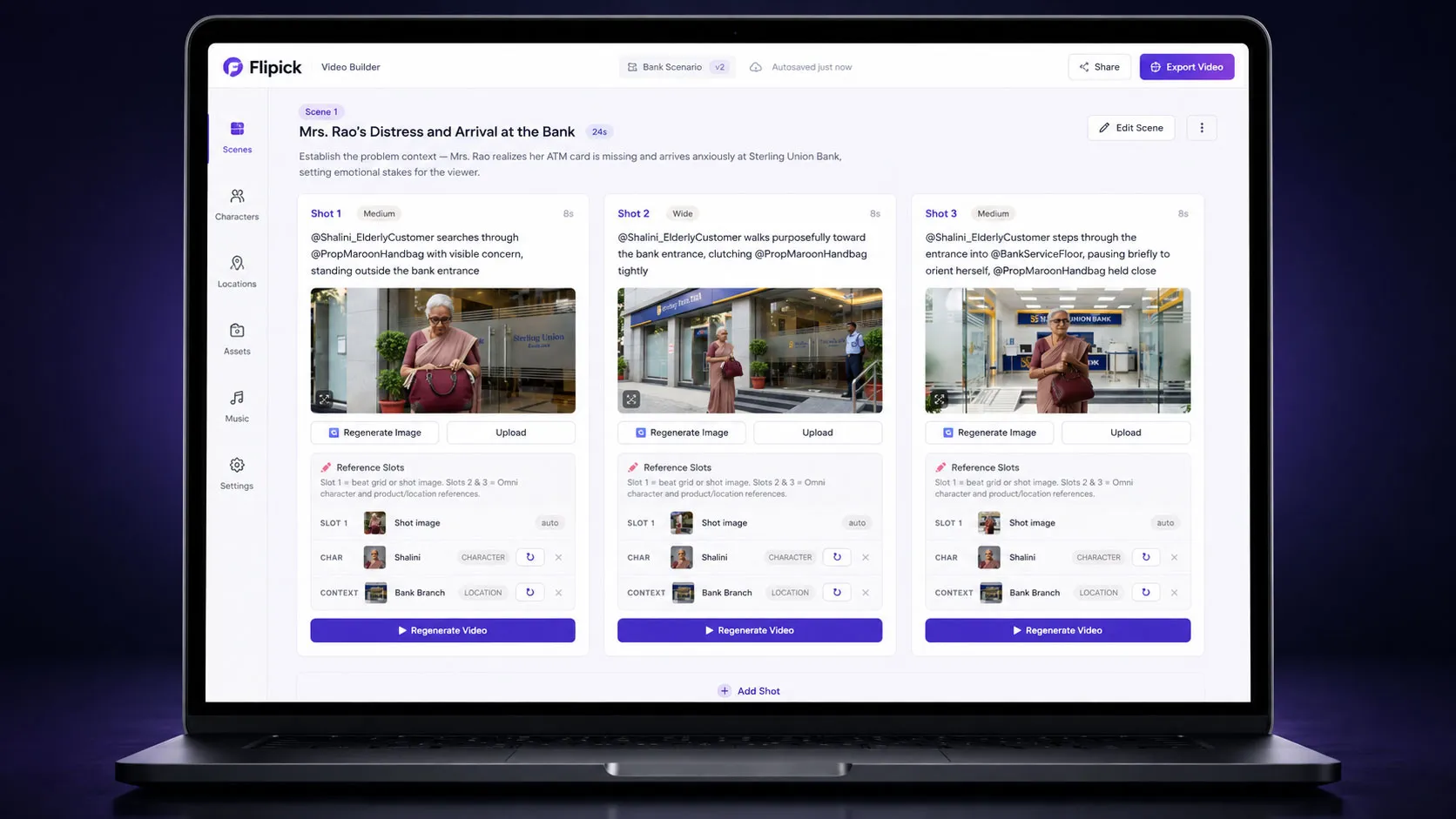
Turn the approved storyboard into finished video.
Once the screenplay is signed off, the Video Builder generates each shot, renders the beats and assembles the cut — with control over every frame.
- Beats engine — each shot renders as beat frames stitched into the clip; pace sets how many
- Regenerate precisely — re-render a single beat or shot without disturbing the rest
- Per-shot control — edit the visual and motion prompts, then re-render cleanly
- Voiceover & reference locks — VO text feeds the TTS pipeline; reference slots hold the character and location images the engine uses
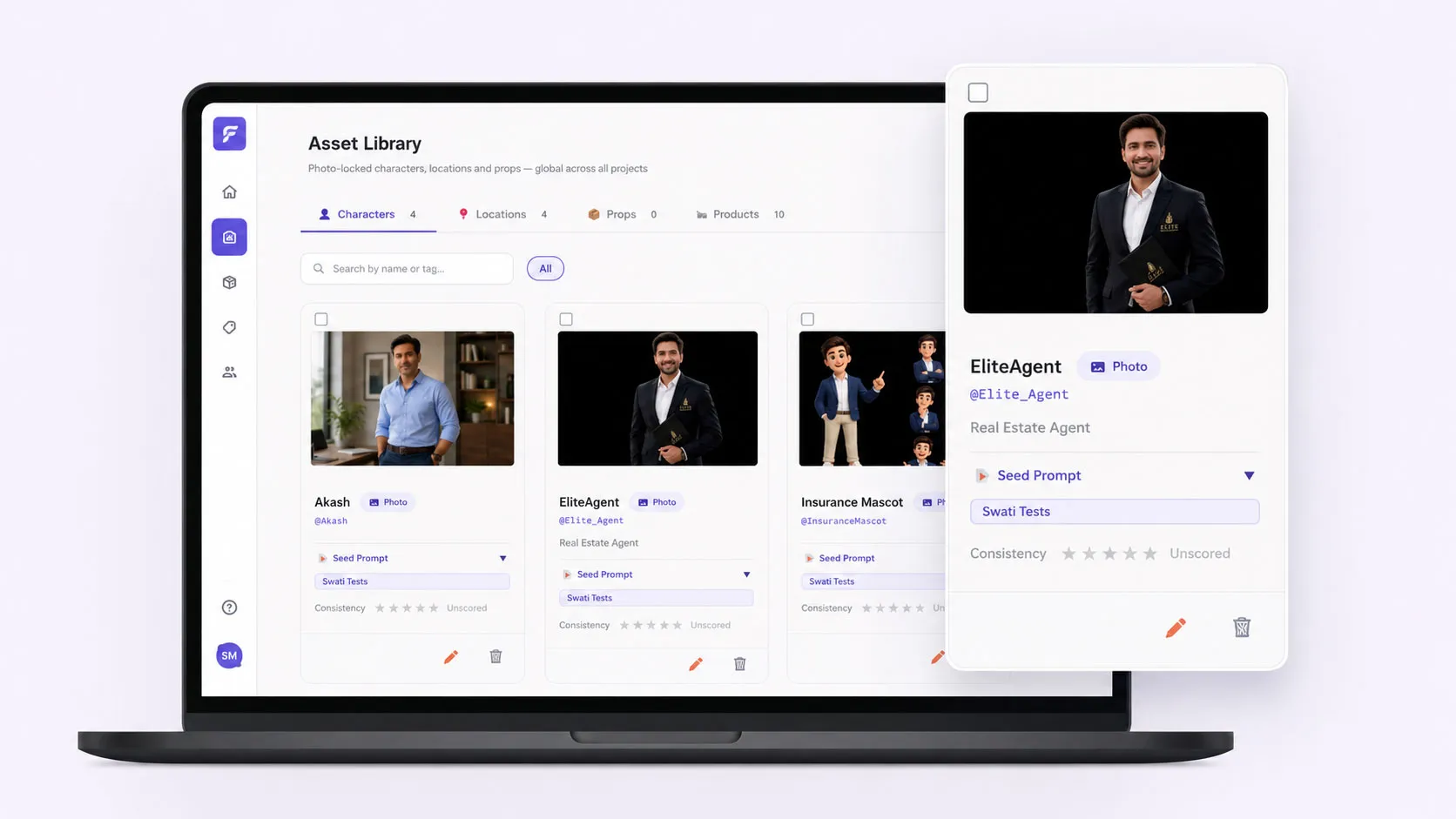
Build a brand world once. Reuse it everywhere.
A central repository of reusable production elements — ambassadors, products, characters and locations — that persist across every project in your organisation, carrying their full visual identity.
- Real brand ambassadors — lock a real person’s likeness; the same face and style across every campaign
- Products as hero elements — held in the Asset Library and reused as the hero of a shot across campaigns, without consuming a generation slot
- AI characters & locations — personas with multiple looks, and environments reproduced consistently scene to scene
- Promote & share — create in a project, promote to the library; scoped to your tenant, shared across your team
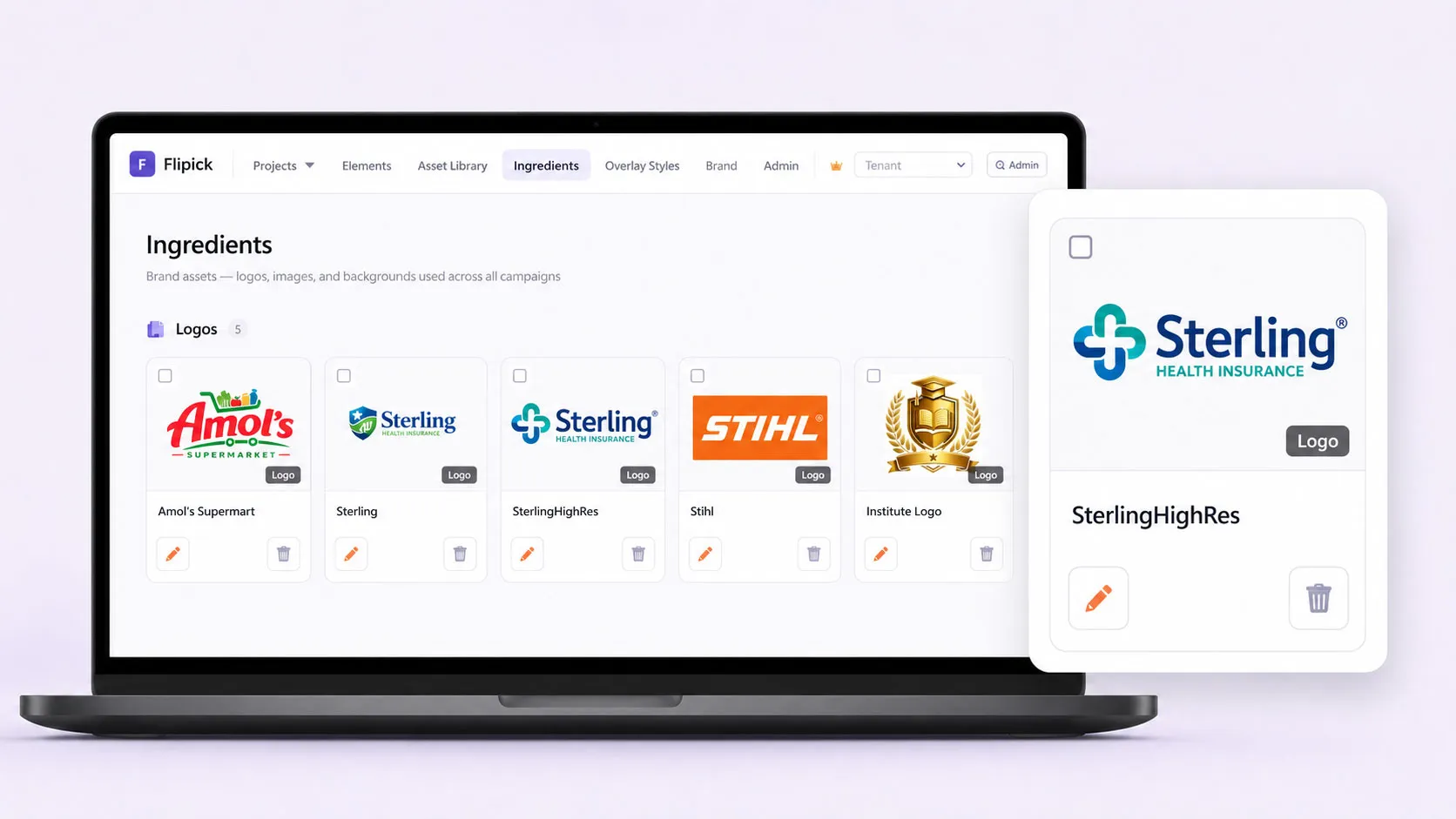
The static building blocks of every overlay.
Ingredients are static image assets — logos, backgrounds, headline graphics, product shots — stored once and assembled into the personalised frames that sit on top of generated video.
- Upload once, reuse anywhere — categorise and assign into overlay slots across any project
- Position by slot — logo top-right, lifestyle panel behind text, product image in its zone
- VVP at scale — referenced by GCS path in the Variable Video Production Excel template, pulled per variant
- Not generative inputs — ingredients are for the overlay layer, distinct from the reference images that drive AI video
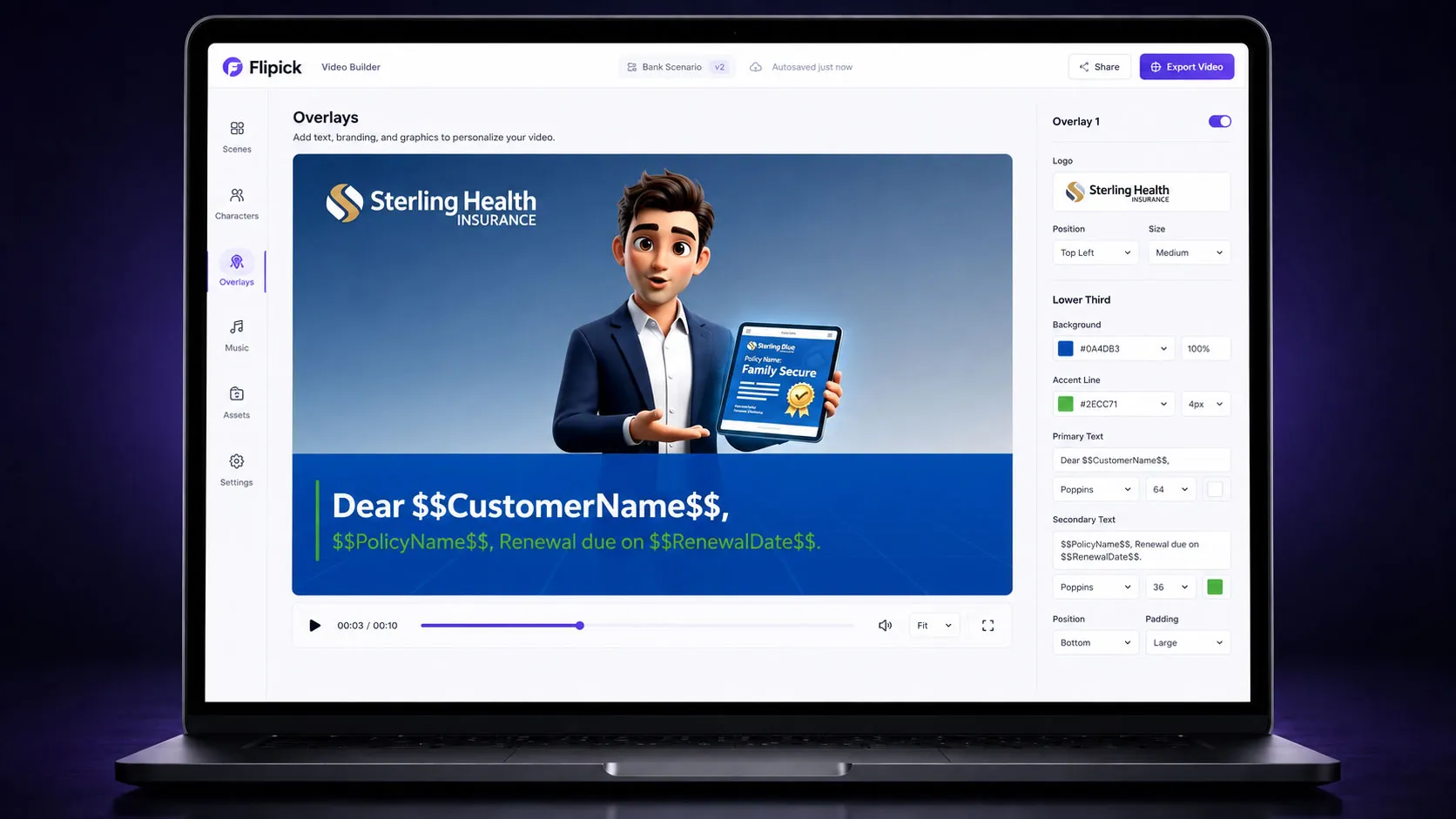
One master video. Hundreds of variants.
Overlays are composited on top of the generated video — text, logos, pricing, disclaimers, CTAs. Generate the master once; produce 500 retailer variants for a fraction of the cost of 500 videos.
- Excel-driven variants — define variables, populate one row per variant, upload, get a named MP4 each
- Prices live on overlays — financial values are never baked into AI video, keeping regulated content accurate & auditable
- 8 template types — banners, logos, product images, CTA panels, lifestyle backgrounds
- Orientation-aware — scales for 16:9 and 9:16; batch ZIP delivers every variant at once
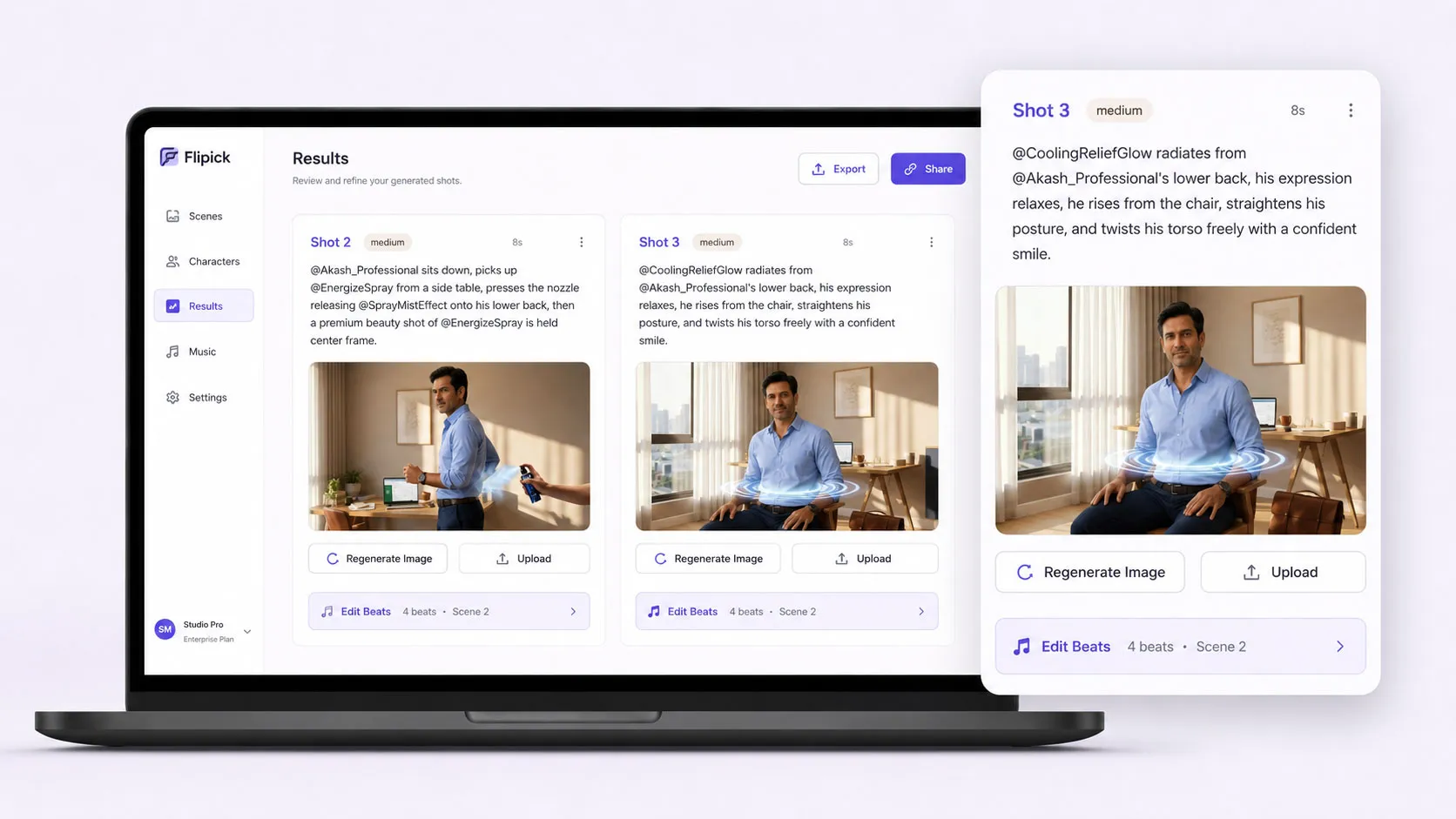
Your cast and products stay the same — every scene.
Put the four tools together and you get the thing raw generators can’t do: a presenter and product held steady across a whole film, branded and localised — fast, on brand, and consistent from scene one to nine.
Deliver it personally, then prove it landed.
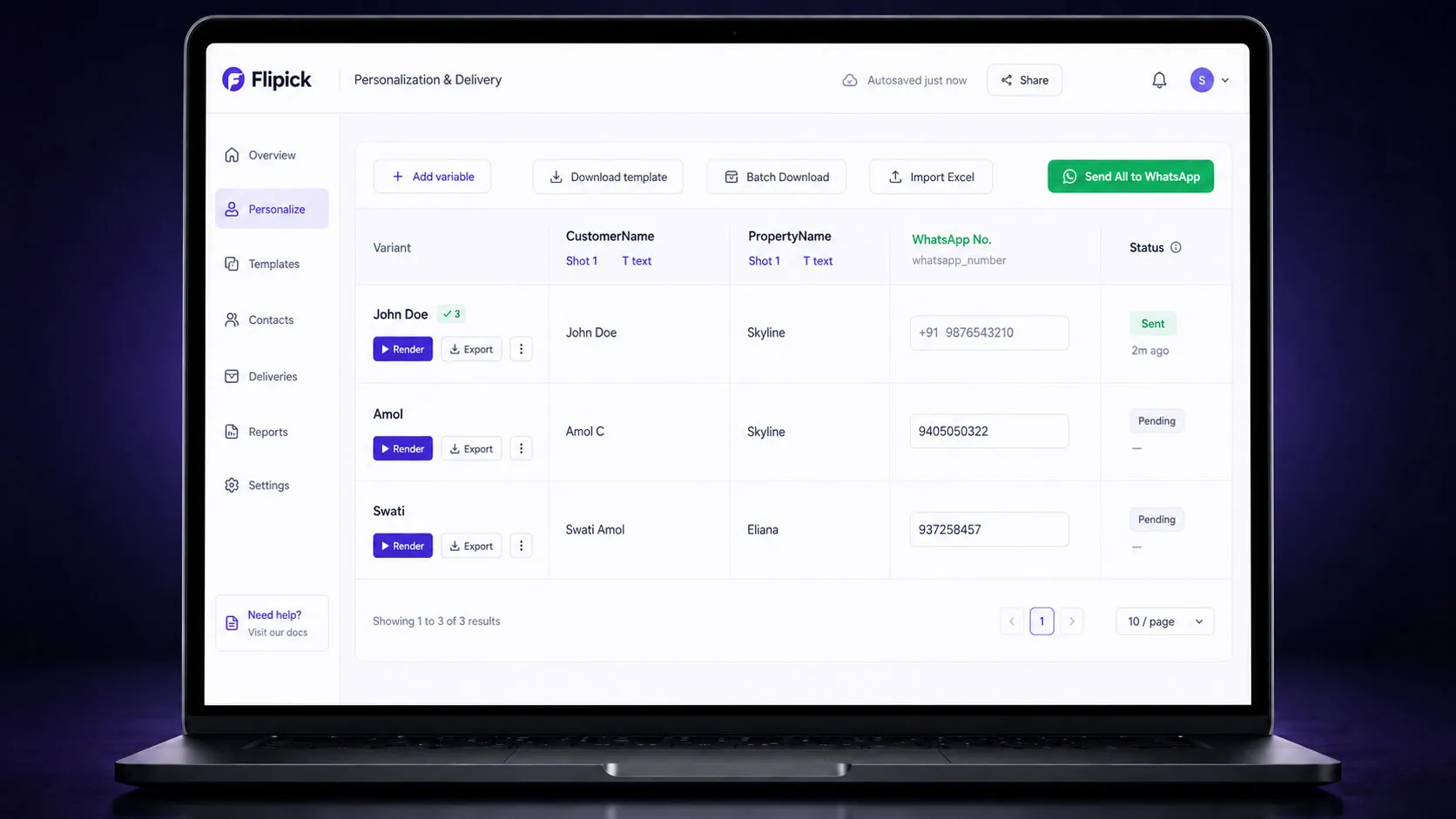
One master film becomes a version for everyone.
Map recipient fields — name, role, branch, language — and Flipick renders a personal cut for each, delivered by link, email, in-app or your LMS.
- Personalized fields per recipient
- Campaigns, scheduling and recipient management
- Deliver by link, email, in-app or your LMS
Representative UI — replace with a product screenshot.
Know who watched, who finished, who acted.
Verify viewer identity before playback, then track completion, drop-off and re-watch per person — and tie every overlay CTA to the action that followed.
- Viewer authentication before playback
- Per-viewer completion & engagement analytics
- CTA tracking — audit-ready records
Create → Distribute → Prove.
Common questions about how Flipick works.
What is Variable Video Production (VVP)?
Variable Video Production is Flipick’s method for generating personalised videos at scale. You create one master film with variable data fields (Ingredients), then the platform swaps names, products, prices and other details per recipient — producing a unique version for every viewer without re-rendering from scratch.
How does the Screenplay Builder work?
You describe your objective and the AI builds a production-ready screenplay through a structured conversation — narrative arc, scenes, shot-by-shot breakdowns, voiceover and dialogue. You approve the story before any rendering credits are spent.
How does Flipick keep characters and products consistent across scenes?
The Asset Library stores reusable production elements — ambassadors, characters, products and locations. Once locked, these assets persist across every shot and every project in your organisation, so faces and brand elements stay the same from scene one to scene nine.
Do I need video editing skills to use Flipick?
No. The platform handles the entire pipeline from script to delivery. You work at the story level — approving screenplays and storyboards — while AI handles rendering, editing, overlays and assembly. If you can write a brief, you can produce a finished video.
How does personalised distribution and proof work?
Flipick delivers a unique version of your video to each recipient by link, email or LMS. Viewers are authenticated, so you get verified completion data, drop-off tracking and CTA click-through — not just view counts. Every metric is audit-ready.
See the studio on your own brief.
Bring a script, a deck or a product, and watch it become a finished, measured video.
Also explore: AI Video Platform · Flipick LMS · PowerPoint → SCORM · Pricing